Hey there! If you're anything like me, you've probably spent countless hours trying to keep track of projects, tasks, and client relationships across a bunch of different platforms. It's a real headache, isn't it? Well, imagine for a moment a world where your sales team, your project managers, and even your service folks are all working from one single, unified source of truth. That's not some futuristic fantasy; it's exactly what Salesforce project management apps promise to deliver, and honestly, they're changing the game for so many businesses.
I've seen firsthand how a well-integrated project management solution within Salesforce can absolutely transform operations. We're talking about taking all those scattered pieces of information – customer data, sales opportunities, project timelines, task assignments – and bringing them together in a coherent, actionable way. It’s not just about managing projects; it's about connecting the dots between sales, service, and project delivery, ensuring that nothing falls through the cracks from the moment a deal is closed to the final successful delivery.
Why Bother Integrating Project Management with Salesforce?
You might be thinking, "Why can't I just use a standalone PM tool?" And that's a fair question! Many of us started that way. But here's the thing: when your project management lives outside of your CRM, you create data silos. Information gets duplicated, inconsistencies pop up, and nobody really has a full 360-degree view of the customer journey. It’s like trying to navigate a complex city with only half a map. Integrating project management directly into Salesforce really solves that by giving us:
- Unified Data and Visibility: Everything, from the initial sales conversation to project kickoff and ongoing support, is tied to the customer record. This means anyone looking at a client’s profile can instantly see their entire history, including ongoing projects. Pretty neat, right?
- Improved Collaboration: Imagine project teams being able to access relevant sales notes without leaving their project workspace. Or sales folks being able to see project status updates in real-time. It cuts down on endless email threads and status meetings, which saves everyone time.
- Streamlined Workflows: You can automate task creation based on deal stages, trigger project kick-offs when a contract is signed, and even automatically update customer records as projects progress. This eliminates a ton of manual effort and reduces errors.
- Better Resource Management: With all projects visible in one place, it's easier to allocate resources effectively, ensuring your team isn't overbooked or underutilized. We can forecast needs much more accurately.
- Enhanced Reporting and Analytics: Because all the data is in Salesforce, you can create powerful dashboards and reports that combine sales, project, and even service metrics. This gives you incredible insights into profitability, team performance, and customer satisfaction that you simply couldn't get with separate systems.
What Should You Look for in a Salesforce PM App?
Choosing the right app can feel a bit overwhelming because there are so many options out there. I always advise folks to focus on core functionalities that will genuinely make a difference to their specific operations. Here are a few things I'd absolutely prioritize:
Robust Task Management Capabilities
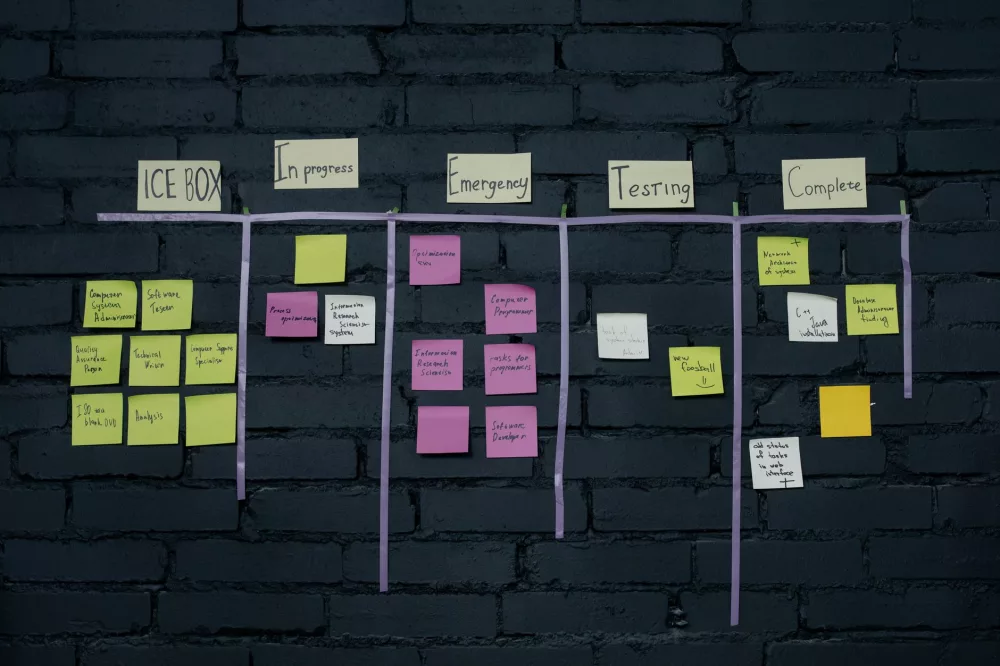
This is foundational, really. You need to be able to easily create tasks, assign them to team members, set due dates, and track progress. Look for features like sub-tasks, dependencies, and recurring tasks. Being able to visualize tasks on a Kanban board or Gantt chart within Salesforce is a huge plus for many teams, helping us quickly grasp what's happening.
Effective Resource Allocation Tools
Understanding who's working on what, and for how long, is crucial. The best apps let you see team availability, assign resources to specific projects or tasks, and even help identify potential bottlenecks before they become major problems. It's about optimizing your team's workload, ensuring everyone's productive without burning out.
Comprehensive Reporting and Analytics
What gets measured gets managed, right? A good app should offer customizable reports and dashboards that give you real-time insights into project status, team performance, budget adherence, and client profitability. I always look for tools that make it easy to slice and dice data without needing a data scientist on staff.
Seamless Time Tracking
For many businesses, especially those that bill by the hour or need to track time for internal cost allocation, integrated time tracking is a non-negotiable. It simplifies invoicing and helps you understand where your team's effort is actually going, which is invaluable for future project estimation.
Strong Collaboration Features
Project success often hinges on good communication. Look for apps that facilitate collaboration directly within Salesforce, whether it's through Chatter integration, in-app messaging, or document sharing. Keeping conversations tied to specific tasks or projects is incredibly helpful.
Customization and Scalability
Every business is a little different, so the ability to customize fields, workflows, and even the user interface is super important. You also want an app that can grow with you, easily handling more projects and users as your company expands.
How Do You Pick the Right App for Your Team?
When it comes down to actually choosing one, I always recommend a structured approach. Don't just jump at the first flashy demo you see!
First, clearly define your specific needs and pain points. Are you struggling most with resource overload? Or maybe your client onboarding process is a mess? Get your team involved to understand their daily challenges. We often find that what one department considers critical, another doesn't even use.
Next, think about ease of use and user adoption. A powerful tool is useless if no one on your team actually wants to use it. Look for intuitive interfaces and features that align with how your team already works.
Of course, cost is always a factor. Don't just look at the per-user price; consider implementation costs, potential training needs, and ongoing support. Sometimes, a slightly more expensive solution upfront saves you a fortune in headaches and inefficiency down the line.
Finally, always, always look into vendor support and update frequency. You want a partner who's committed to evolving their product and provides solid help when you hit a snag. Nothing's worse than being stuck with an unsupported tool.
Getting Started: Implementing and Adopting Your New Tool
Once you've made your choice, the journey isn't over; in fact, it's just beginning! Successful implementation and adoption are critical. I usually suggest a phased rollout. Don't try to change everything at once. Maybe start with a pilot team or a specific project type, gather their feedback, and iterate from there.
Training is non-negotiable. Invest time in comprehensive training for your team. Show them not just how to use the new features, but why it benefits them personally and helps the company achieve its goals. A little "what's in it for me" goes a long way.
And keep that feedback loop open! Encourage users to share their experiences, report bugs, and suggest improvements. This not only helps refine your use of the tool but also makes your team feel invested in its success.
Ultimately, embracing a Salesforce project management app isn't just about getting a new piece of software. It’s about building a more connected, efficient, and transparent way of working. It helps us deliver better projects, keep our clients happier, and truly understand the health of our business from sales right through to delivery. It's a smart move that pays dividends, believe me.